Why Melita Script Is the Elegant Font Your Designs Are Missing
A Closer Look at Its Unique Character
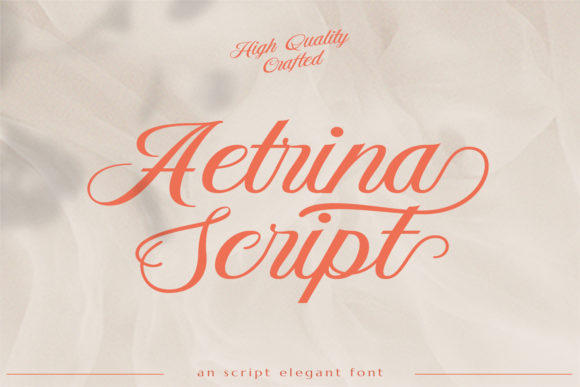
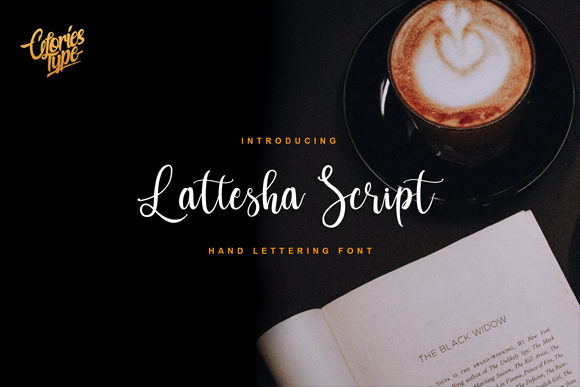
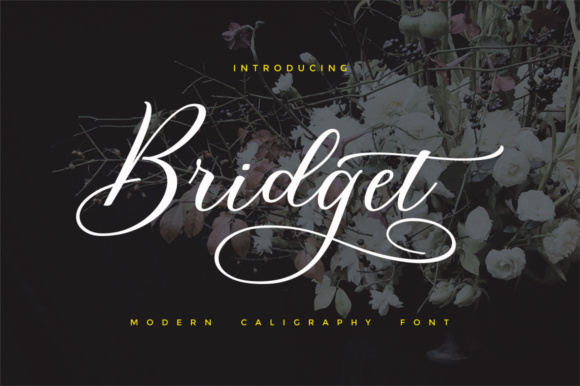
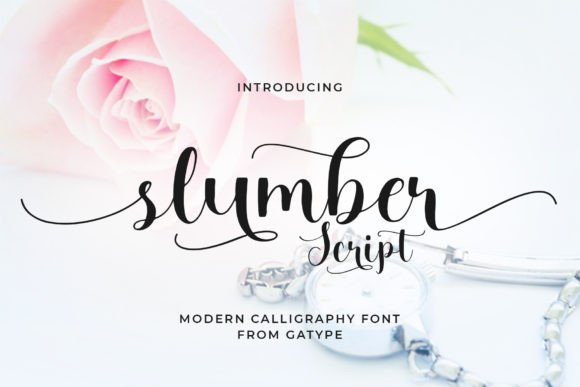
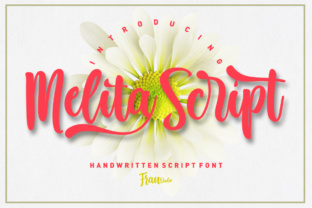
When you first encounter Melita Script, you immediately notice its fluidity. It’s a modern calligraphy font, but it doesn’t feel overly formal or stiff like some traditional scripts. Instead, it carries a relaxed elegance. The defining feature here is the varying baseline; the letters don't sit on a rigid, straight line. This mimics natural handwriting, giving your text a rhythmic, organic flow that feels alive rather than digital. The smooth lines and consistent weight make it feel premium without being pretentious.
I often describe this typeface as having a "classic touch with a modern heartbeat." It bridges the gap between vintage typography and contemporary design. If you are looking for a creative font that avoids the messy, scratchy look of some handwritten fonts but still retains personality, Melita is a strong contender. It feels approachable yet sophisticated—perfect for projects that need to connect with an audience on a personal level.
Where Melita Script Truly Shines
The versatility of a font like this is where the real value lies for designers and business owners. Because it functions as a display font, it is naturally high-impact. You wouldn't use it for long paragraphs of body copy—that would be a readability nightmare—but for headlines and focal points, it is gold.
Wedding Invitations and Event Stationery
This is the obvious starting point. Melita Script is practically tailor-made for wedding invitations. Its romantic, flowing nature sets the mood instantly. However, don't stop at weddings. Think about milestone birthday parties, baby showers, or upscale gala invitations. It brings that handmade, artisanal feel to packaging design as well, especially for boutique products like candles, perfumes, or baked goods where the label needs to convey warmth and care.
Digital Presence and Social Media
In the world of web design and social media graphics, standing out is difficult. Using Melita Script for your Instagram quotes, YouTube thumbnails, or blog post headers adds immediate visual interest. It breaks up the monotony of standard sans serif fonts that dominate the digital landscape. For brand identity, using a script font like this can soften a brand's voice, making a corporate feel more human and relatable.
Logo Design and Branding
If you are an entrepreneur or a small business owner in the lifestyle, beauty, or creative sector, Melita Script is worth considering for your logo design. It works exceptionally well for wordmarks. Because it is a premium font, it ensures your logo doesn't look like a generic template found on free font sites. It suggests exclusivity and craftsmanship. However, a word of caution: ensure your brand name is legible. If your business name is long, you might use Melita for the tagline or a monogram instead.
The Strategic Impact on Visual Hierarchy
As a designer or publisher, you know that visual hierarchy is how you guide a reader's eye. Melita Script excels here. Because it has such a distinct personality, you can use it to pull the reader's attention to the most important information first.
Consider editorial design. If you are laying out a magazine spread or a cookbook, mixing a rigid, structured serif font with the flowing lines of Melita Script creates a beautiful tension. The serif handles the heavy lifting of the story, while Melita highlights pull-quotes or chapter titles. This contrast makes the layout feel dynamic and professional. It prevents your design from looking flat.
For marketers and content creators, this translates to better engagement. A boring header gets scrolled past. A header set in a dynamic script font like Melita suggests that the content inside is unique. It sets an expectation of quality. It’s a subtle psychological trigger that can improve click-through rates on pins, ads, and blog posts.
Practical Tips for Implementation
Knowing a font exists is one thing; knowing how to use it effectively is another. Here is my practical advice for getting the most out of this typeface.
Pairing with Other Fonts
Font pairing is an art. Since Melita Script is a display font with high personality, it needs a grounded partner. You generally want to avoid pairing it with other decorative fonts, or the design will look chaotic.
- The Classic Duo: Pair Melita with a clean, geometric sans serif font. Think Montserrat or Lato. The clean geometry of the sans serif highlights the organic curves of Melita.
- The Editorial Look: Combine it with a traditional serif font like Garamond or Baskerville. This gives the design a high-fashion, editorial vibe.
- The Rule of Thumb: Use Melita for the "Hero" text (the main headline or the name), and use the secondary font for everything else.
Readability and Sizing
Because of the varying baseline and the connecting swashes, you must be careful with sizing. Melita Script is not designed for 12pt body text. If you try to shrink it down, the letters will merge into an unreadable blob. Keep it large. Use it for headings where the letters have room to breathe. If you are using it for a logo, always test the readability at very small sizes (like a favicon) to ensure the signature doesn't just look like a squiggle.
Licensing and Assets
Finally, always check the commercial license. Since this is a premium font, using it for a client project or a commercial product usually requires a specific license type. Don't assume a personal license covers your Etsy shop or client's website. Treat your design assets with the same professionalism you apply to your designs. Using properly licensed typography is a hallmark of a legitimate business.
Final Thoughts on Melita
Melita Script is more than just a collection of letters; it is a tool for adding emotion to your work. Whether you are designing a wedding invite, crafting a brand identity for a boutique, or creating engaging social content, this font offers a blend of elegance and modernity that is hard to beat. It requires a bit of finesse to pair correctly, but once you nail the combination, it elevates the entire project. It’s a solid addition to any designer's toolkit.